

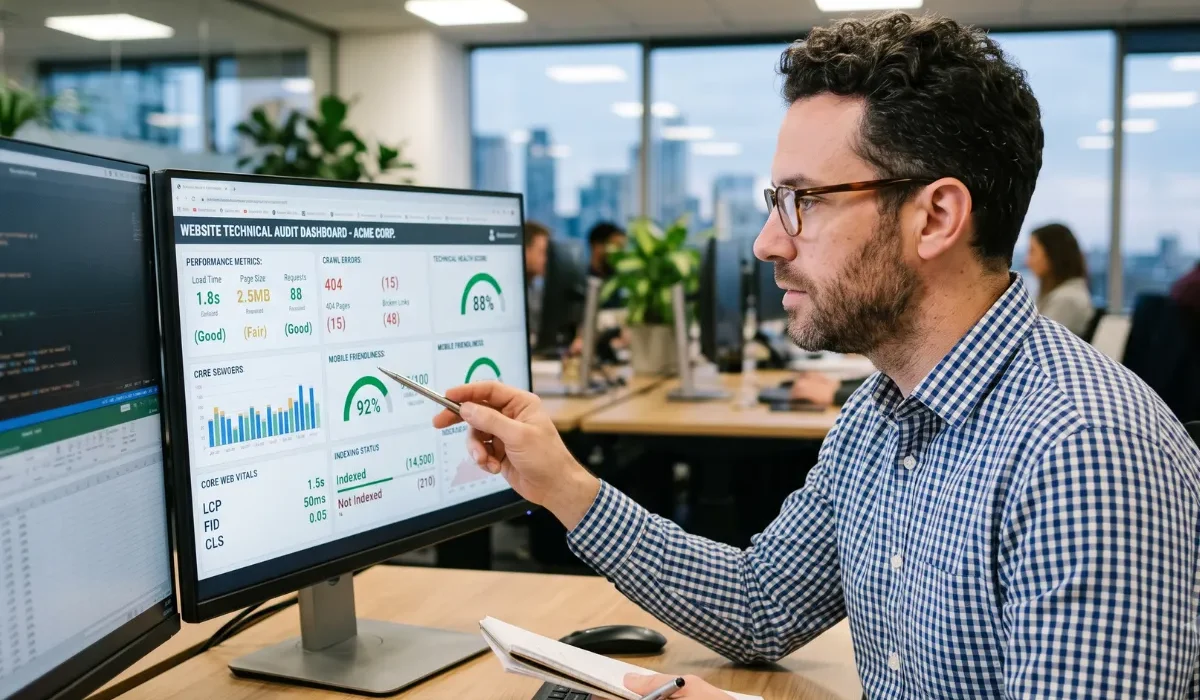
Imagine opening the front door of your favorite store only to find the lights off, the aisles cluttered, and the checkout counter missing. You’d probably leave within seconds. That’s exactly how search engines feel when they land on a poorly optimized website.
I have seen businesses invest thousands of dollars in beautiful designs and amazing content, yet they still struggle to rank because they overlook one critical piece of the puzzle: Technical SEO Service.
Whether you run an eCommerce store, a local business, or a national brand, technical SEO forms the foundation of your online visibility. It helps search engines discover, crawl, understand, and index every important page on your website.
Without that foundation, even your best content can disappear into Google’s back pages. That’s why I always recommend treating a Technical SEO Service as a long-term investment instead of a one-time task.
If you’re looking to strengthen your website’s SEO foundation, explore Technical SEO Service to understand how professional optimization can improve crawling, indexing, site performance, and long-term organic growth before you begin your checklist.
Why Every Website Needs a Technical SEO Service
Most website owners focus on keywords, blogs, and backlinks. Those strategies absolutely matter, but they only work when your website gives Google a smooth experience.
Think about your website like a brand-new sports car. It might look incredible from the outside, but if the engine refuses to start, nobody cares how shiny the paint looks.
A professional Technical SEO Service makes sure every important technical component works together, including:
- Faster page loading
- Proper indexing
- Mobile optimization
- Secure browsing
- Better user experience
- Efficient website crawling
- Strong Core Web Vitals
When I audit websites, I often find simple technical problems preventing pages from ranking. Fixing those issues usually creates noticeable improvements without rewriting every page.
The Ultimate Technical SEO Service Checklist
Below is the same framework I use before launching any SEO campaign.
1. Make Sure Google Can Crawl Your Website
Google cannot rank pages it cannot crawl.
Your first step is checking whether search engine bots can access every important page while avoiding duplicate or unnecessary sections.
Review:
- robots.txt configuration
- XML sitemap
- Internal linking
- Crawl errors
- Blocked resources
- Redirect chains
If Google spends its crawl budget on unnecessary pages, important pages may stay undiscovered.
Following the best practices outlined in the Google Search Central Documentation helps ensure your website is easy for Google to crawl, index, and understand, reducing technical issues that can affect your search visibility.
2. Verify Proper Indexing
A page can exist without appearing in Google.
I always verify whether important URLs are actually indexed.
Look for:
- Noindex tags
- Canonical issues
- Duplicate URLs
- Parameter pages
- Thin pages
- Soft 404 errors
Cleaning up indexing issues helps Google understand which pages deserve visibility.
3. Improve Website Speed
Nobody enjoys waiting for a slow website.
Google doesn’t either.
A quality Technical SEO Service focuses heavily on improving page speed because it directly affects user experience, conversions, and rankings.
Start by:
- Compressing images
- Using next-generation image formats
- Enabling browser caching
- Minifying CSS and JavaScript
- Reducing unused code
- Improving server response time
- Using a CDN
Small improvements often create surprisingly large ranking gains.
Core Web Vitals Should Never Be Ignored
Google introduced Core Web Vitals to measure real-world user experience.
These metrics evaluate:
| Metric | What It Measures | Why It Matters |
| Largest Contentful Paint (LCP) | Loading performance | Faster first impressions |
| Interaction to Next Paint (INP) | Responsiveness | Better user engagement |
| Cumulative Layout Shift (CLS) | Visual stability | Prevents frustrating page movement |
If your scores fall below Google’s recommendations, your visitors usually notice before Google does.
I regularly review these metrics using Google’s PageSpeed Insights because they provide valuable recommendations for improvement.
4. Prioritize Mobile-First Optimization
More Americans browse on smartphones than desktops, which means your mobile experience often becomes your first impression.
A complete Technical SEO Service always includes:
- Responsive layouts
- Easy navigation
- Readable typography
- Clickable buttons
- Proper image scaling
- Fast mobile loading
- Mobile-friendly forms
When I test websites, I always complete a full customer journey on my phone first. If I can’t navigate comfortably, I know visitors won’t either.
According to the U.S. government’s digital accessibility guidance, websites should also remain usable across different devices and for people with varying accessibility needs, making mobile optimization even more important for long-term success.
5. Secure Your Website with HTTPS
Security builds trust.
Google favors secure websites because users expect their information to remain protected.
Review these security essentials:
- Valid SSL certificate
- HTTPS across every page
- Mixed content errors
- Secure login pages
- Updated CMS
- Regular security monitoring
Visitors feel more comfortable engaging with secure websites, and search engines recognize those positive user signals.
6. Create a Logical Website Architecture
Your website should feel effortless to navigate.
Every important page should sit only a few clicks away from your homepage.
I recommend organizing content into clear categories with logical internal linking. This approach improves both user experience and crawl efficiency.
If you’re planning a redesign or restructuring your site, consider Expert Website Development Services to build an SEO-friendly architecture from the start rather than fixing structural issues later.
Likewise, businesses that want SEO, content, PPC, and web strategy working together often benefit from comprehensive White Label Digital Marketing Services, ensuring every marketing effort supports long-term organic growth instead of operating in isolation.
7. Eliminate Broken Links and Redirect Issues
Broken links create frustration for visitors and waste your website’s authority. Every time I perform a Technical SEO Service audit, I find pages with outdated links, unnecessary redirects, or missing destinations.
Review your website regularly for:
- Broken internal links
- Broken external links
- 301 redirect opportunities
- Redirect loops
- Redirect chains
- Deleted pages returning 404 errors
A clean linking structure improves user experience and helps search engines crawl your website more efficiently.
8. Optimize URL Structure
Your URLs should be simple, descriptive, and easy to understand.
Instead of using URLs filled with random numbers or symbols, create clean addresses that clearly describe the page content.
Best practices include:
- Keep URLs short.
- Include relevant keywords naturally.
- Use hyphens instead of underscores.
- Avoid unnecessary folders.
- Keep URL structures consistent.
A well-structured URL helps users and search engines understand the purpose of the page before they even click it.
9. Strengthen Internal Linking
Internal linking often gets overlooked, yet it plays a huge role in helping Google discover and understand your content.
Every important page should connect naturally with related pages across your website.
A smart Technical SEO Service improves internal linking by:
- Passing authority between pages
- Helping Google discover new content
- Improving user navigation
- Increasing time on site
- Reducing orphan pages
I always think of internal links as road signs. The clearer the signs, the easier it becomes for both visitors and search engines to reach the right destination.
10. Optimize Images for SEO
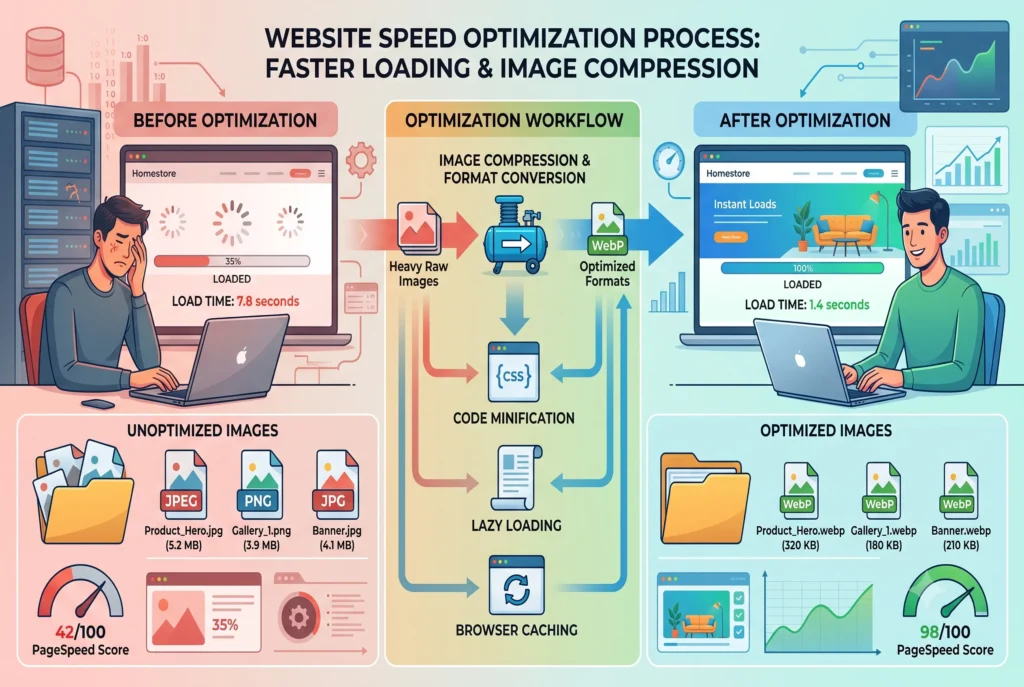
Images make your content more engaging, but oversized files can slow your website dramatically.
Before uploading images:
- Compress image files.
- Use descriptive filenames.
- Add keyword-rich alt text naturally.
- Choose modern formats like WebP.
- Specify image dimensions.
- Enable lazy loading.
These small improvements contribute significantly to a faster website and a better Technical SEO Service strategy.
11. Add Structured Data (Schema Markup)
Schema markup helps search engines understand your content beyond plain text.
Although visitors never see schema directly, Google uses it to generate rich search results.
Common schema types include:
- Organization
- Local Business
- FAQ
- Article
- Product
- Review
- Breadcrumb
- Service
Implementing structured data is one of the smartest investments in a modern Technical SEO Service because it can improve search visibility without changing your written content.
12. Monitor Technical SEO Regularly
Technical SEO isn’t something you complete once and forget forever.
Websites constantly change.
Plugins update.
Pages move.
Servers change.
Google updates its algorithms.
That’s why I recommend performing a complete Technical SEO Service audit at least every quarter. Monthly reviews work even better for growing businesses.
Monthly Technical SEO Checklist
| Task | Recommended Frequency |
| Crawl website | Monthly |
| Check indexing status | Monthly |
| Review Core Web Vitals | Monthly |
| Fix broken links | Monthly |
| Update XML Sitemap | Monthly |
| Review structured data | Quarterly |
| Test mobile usability | Monthly |
| Review HTTPS security | Monthly |
| Check redirect errors | Monthly |
| Analyze crawl reports | Monthly |
Following a routine keeps small issues from becoming expensive problems later.
Common Technical SEO Mistakes to Avoid
Even experienced website owners make technical mistakes that quietly hurt rankings.
Watch out for these common issues:
- Duplicate content
- Missing title tags
- Slow page speed
- Broken redirects
- Orphan pages
- Missing image alt text
- Incorrect canonical tags
- Poor mobile usability
- Unoptimized JavaScript
- Large image files
Avoiding these mistakes helps your Technical SEO Service deliver stronger and more consistent SEO performance.
Signs Your Website Needs a Technical SEO Service
If any of these sound familiar, it’s probably time for a technical audit.
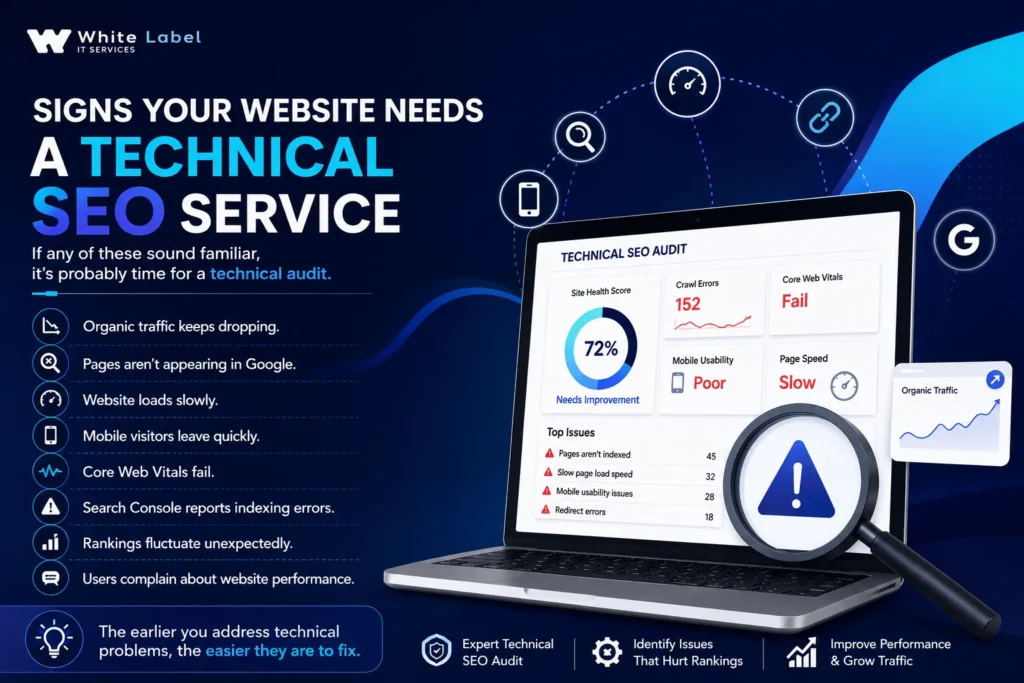
The earlier you address technical problems, the easier they are to fix.
Why Technical SEO Matters More Than Ever
Search engines continue raising the bar every year.
Today, Google rewards websites that provide fast, secure, accessible, and user-friendly experiences.
Content still matters.
Backlinks still matter.
But neither performs at its best without a strong technical foundation.
That’s why I view a Technical SEO Service as the engine powering every successful SEO campaign. When your technical foundation is solid, every other marketing effort becomes more effective.
Conclusion
A successful website isn’t built on great content alone. It also depends on a healthy technical foundation that allows search engines to crawl, understand, and rank every important page.
By following this complete Technical SEO Service checklist, you can improve website performance, enhance user experience, strengthen search visibility, and create sustainable long-term growth. Even small technical improvements can produce meaningful SEO gains over time.
If you’re ready to uncover hidden technical issues and build a stronger SEO foundation, Talk to Our Technical SEO Experts to discuss how a professional Technical SEO Service can help your website achieve better rankings, faster performance, and lasting organic success.
Frequently Asked Questions
1. What is a Technical SEO Service?
A Technical SEO Service improves the technical health of your website so search engines can crawl, index, and rank your pages more effectively. It focuses on website speed, security, mobile usability, structured data, crawlability, and overall site performance.
2. Why is a Technical SEO Service important?
A Technical SEO Service ensures your website performs efficiently for both users and search engines. Without strong technical optimization, even excellent content may struggle to rank well.
3. How often should I perform a Technical SEO audit?
I recommend reviewing your Technical SEO Service checklist every three months. High-traffic websites should monitor technical health every month.
4. Does Technical SEO improve Google rankings?
Yes. While technical SEO isn’t the only ranking factor, it creates the foundation that allows search engines to crawl, understand, and index your website correctly.
5. What tools help with Technical SEO?
Popular tools include Google Search Console, Google PageSpeed Insights, Screaming Frog SEO Spider, Google Analytics, and various website crawling tools.
6. How long does it take to see results from a Technical SEO Service?
Some improvements, such as page speed and crawlability, may produce noticeable benefits within a few weeks. Larger technical improvements often show stronger SEO results over several months.
7. Is Technical SEO different from on-page SEO?
Yes. On-page SEO focuses on content, keywords, headings, and metadata, while a Technical SEO Service improves your website’s infrastructure, speed, security, indexing, and crawlability.
8. Can small businesses benefit from a Technical SEO Service?
Absolutely. Small businesses often see significant improvements because fixing technical issues helps search engines better understand and rank their websites against larger competitors.
9. Does website speed affect SEO?
Yes. Faster websites provide a better user experience, improve Core Web Vitals, reduce bounce rates, and support stronger search engine rankings.
10. What’s the first step in a Technical SEO Service?
The first step is performing a comprehensive technical audit to identify crawl errors, indexing issues, broken links, page speed problems, security concerns, and other factors affecting your website’s performance.